We run a digital agency in Southern California. We manage websites for contractors, manufacturers, industrial suppliers, and local businesses across a dozen industries. And in the last year, something changed.
Malware infections on small business websites went from an occasional cleanup job to a weekly occurrence. Not on neglected sites nobody touches. On real businesses with real customers, sites that looked perfectly fine from the outside while quietly serving malicious code to every visitor.
Here’s the part that should bother you: in almost every case, the owner had no idea. No alarm went off. No email arrived. The site loaded fine on their phone. Meanwhile Google was flagging it, customers were getting redirected to sketchy pages, and their search rankings were bleeding out.
Why This Is Happening To Businesses Like Yours
Nobody hacked your site because they care about you. Let’s kill that myth right now.
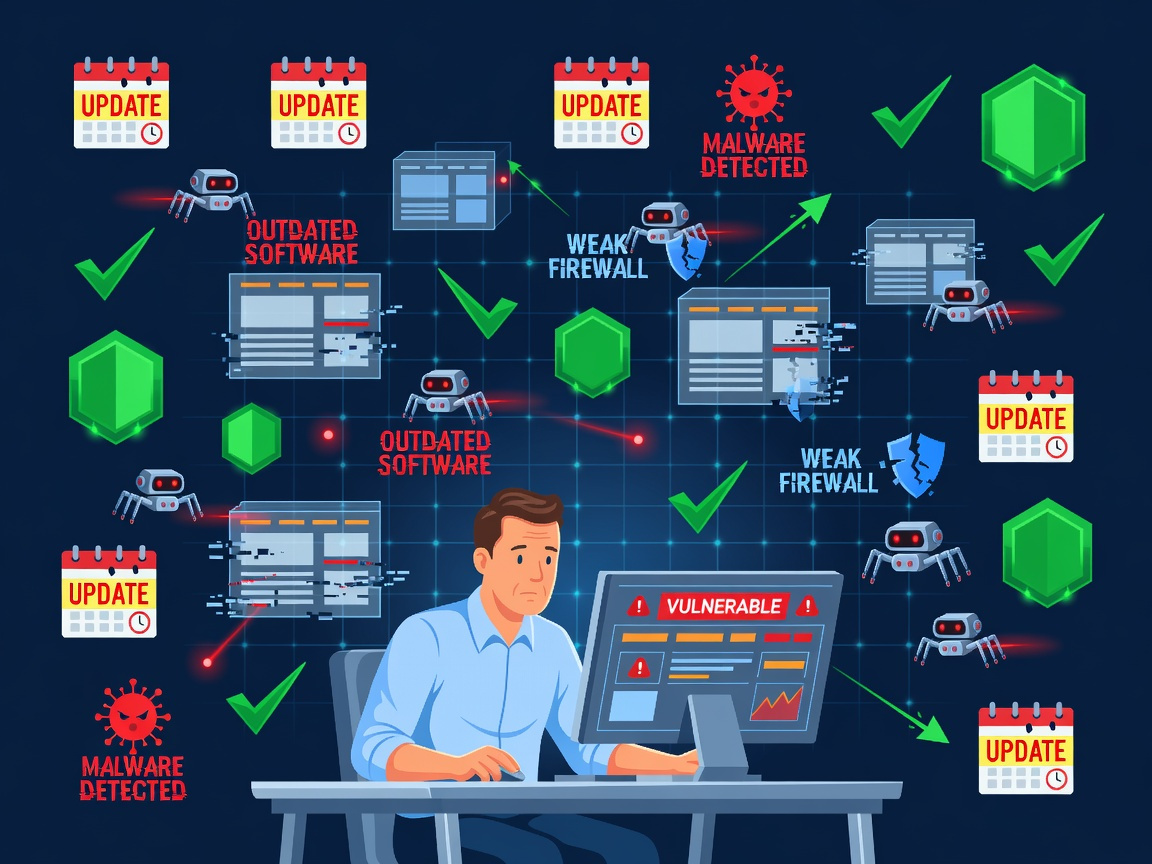
These are automated attacks. Bots scan millions of websites a day looking for one thing: outdated software. An old plugin. A PHP version that stopped getting security patches. A theme that hasn’t been updated since it was installed. The bot finds the hole, injects its code, and moves to the next site. You’re not a target. You’re inventory.
And here’s the multiplier: once malware gets onto a server, it doesn’t stay in one place. If your hosting account runs multiple sites, one infected site can reinfect the others. We’ve seen “fixed” sites come back infected within days because the cleanup treated the symptom and left the disease on the server.
What It Actually Costs You
A hacked website is not an IT problem. It’s a revenue problem.
Google blacklists infected sites. That’s your search traffic gone overnight. Browsers throw up red warning screens that tell your customers to run. Email providers start dumping your messages into spam because your domain reputation is trashed. And if your site collects customer information, you may have a legal disclosure problem on top of everything else.
The cleanup itself is the cheap part. The trust and traffic you lose while infected is the expensive part.
The DIY Protection Checklist
You don’t need to be technical to dramatically cut your risk. You need to be disciplined. Here’s exactly what to do.
1. Find out what PHP version your site runs. Today.
PHP is the engine under most business websites. Old versions stop receiving security patches, which means every known vulnerability stays open forever. Log into your hosting panel or ask your host directly: “What PHP version is my site on, and is it still receiving security updates?” If the answer is a version that’s reached end of life, upgrading is not optional. But don’t blindly flip the switch. Check that your theme and plugins are compatible first, upgrade on a staging copy if you can, and test the site afterward. Done right, it’s a maintenance step. Done carelessly, it breaks things.
2. Update everything, then keep updating.
Your CMS core, your theme, every plugin. Most infections walk in through a plugin that had a patch available for months. Set a monthly calendar appointment titled “update the website” and treat it like a tax deadline. If a plugin hasn’t been updated by its developer in over a year, replace it. Abandoned software is an unlocked door.
3. Delete what you don’t use.
Every inactive plugin and unused theme sitting on your server is attack surface. Deactivated does not mean safe. If you’re not using it, delete it.
4. Fix your passwords and lock the front door.
Unique passwords on your hosting account, your CMS admin, and your FTP access. A password manager makes this painless. Turn on two factor authentication for your admin login. Remove old user accounts from employees and vendors who no longer need access. Half the “hacks” we clean up started with a password that had been reused somewhere else.
5. Get real backups, stored somewhere else.
Daily automated backups, stored off your server. If your only backup lives on the same server that gets infected, you have zero backups. Test a restore once a quarter so you know it actually works before the day you need it.
6. Put a firewall and malware scanner in front of the site.
A web application firewall blocks the automated junk before it reaches your site, and a daily malware scan tells you the moment something slips through. These tools cost less per month than one lunch. The infected businesses we help had neither.
7. If you get infected, clean the server, not just the site.
This is where most DIY cleanups fail. Removing the visible malicious code from a site is like wiping the counter while the pipe is still leaking. The infection often lives elsewhere on the server: in other sites on the same account, in scheduled tasks, in backdoor files the attacker planted for reentry. If a site gets reinfected after cleanup, that’s your proof the server was never actually clean. The whole environment needs to be checked, every site on it, or you’ll be doing this again next week.
The Honest Question
Can you do all of this yourself? Yes. Every step above is doable by a motivated owner or office manager.
Will you? That’s the real question. Because this list isn’t a project you finish. It’s a routine you keep, every month, forever, on top of running your actual business. The businesses that get hit aren’t the ones that didn’t know better. They’re the ones that knew and got busy.
Or Let Us Keep The Bots Out For You
We monitor, update, patch, back up, and scan client websites every single week. When something gets through anywhere on a server we manage, we don’t just clean the one site, we sweep the whole environment and close the hole it came in through. Our clients find out about attacks in a report, not from a customer asking why their browser is screaming warnings.
If your website hasn’t been updated in months, if you don’t know your PHP version, or if you’ve already seen something strange and you’re hoping it goes away on its own, talk to us before the bots find you. The audit is fast, the fix is straightforward, and it costs a fraction of what an infection does.
[Get A Website Security Audit]
Your website is either maintained or it’s exposed. There’s no third option.