In 2025, website speed is crucial because it affects both SEO rankings and user conversions. Therefore, a slow WordPress site can frustrate visitors, increase bounce rates, and reduce revenue. Consequently, implementing the right speed optimization strategies ensures your site loads quickly, keeps users engaged, and performs well in search engines.
Moreover, at The Clay Media, we know that search engines now measure page speed as part of user experience. As a result, faster websites rank higher, generate more traffic, and ultimately increase revenue.
Why Website Speed Impacts SEO in 2025
First, search engines prioritize user experience. Additionally, Google evaluates sites using Core Web Vitals, which measure real-world performance. Consequently, faster websites:
- Improve user engagement
- Reduce bounce rates
- Increase conversion rates
- Rank higher in search results
In short, speed is not just technical; instead, it’s a business advantage in 2025.
How to Measure Your Current Load Time
Before optimizing, you must gather accurate performance data. Therefore, use these tools:
| Tool | Features | Best Use |
|---|---|---|
| Google PageSpeed Insights | Speed score, recommendations | Desktop & mobile performance |
| GTmetrix | Waterfall charts, LCP, FID, CLS | Detailed performance diagnostics |
| Pingdom Tools | Global load time measurement | Benchmarking against competitors |
| WebPageTest | Advanced speed tests, caching analysis | Deep technical insights |
Furthermore, testing regularly helps identify slow elements and track improvements after optimization.
Optimization Steps
1. Image Compression
First, images often account for most of your page size. Therefore, compressing them improves speed drastically.
- Use TinyPNG, ShortPixel, or Imagify.
- Additionally, convert to WebP format for smaller file sizes.
- Also, resize images to match display dimensions.
As a result, this reduces load time, improves LCP, and enhances SEO.
2. Caching Plugins
Next, caching reduces server load and speeds up page delivery.
- WP Rocket – Paid, all-in-one caching and optimization.
- W3 Total Cache – Free, advanced caching configuration.
- LiteSpeed Cache – Best for LiteSpeed servers, includes optimization tools.
Consequently, caching improves FID, boosts server performance, and speeds up repeat visits.
3. Lazy Loading
Moreover, lazy loading ensures images and videos load only when visible.
- Therefore, it reduces initial page load time.
- Additionally, it saves bandwidth and improves mobile experience.
- WordPress 6+ supports native lazy loading automatically.
Hence, lazy loading improves Core Web Vitals and overall user experience.
4. Hosting Upgrades
Furthermore, your hosting environment affects every aspect of site speed.
- Consider Managed WordPress Hosting (Kinsta, Cloudways, SiteGround) for optimized servers.
- Additionally, use CDN integration to reduce latency globally.
- Moreover, upgrading your PHP version improves processing speed.
Consequently, hosting upgrades reduce server response time, improve global load, and enhance scalability.
5. Minify and Combine Files
Also, reduce render-blocking resources:
- Minify CSS, JS, and HTML using Autoptimize or WP Rocket.
- Combine files to reduce HTTP requests.
- Enable Gzip compression.
As a result, your pages load faster, LCP improves, and overall page size decreases.
6. Database Optimization
Finally, regularly clean and optimize your WordPress database.
- Remove spam comments, revisions, and unused tables.
- Use plugins like WP-Optimize or Advanced Database Cleaner.
Therefore, database optimization speeds up backend queries and improves overall performance.
Core Web Vitals Checklist 2025
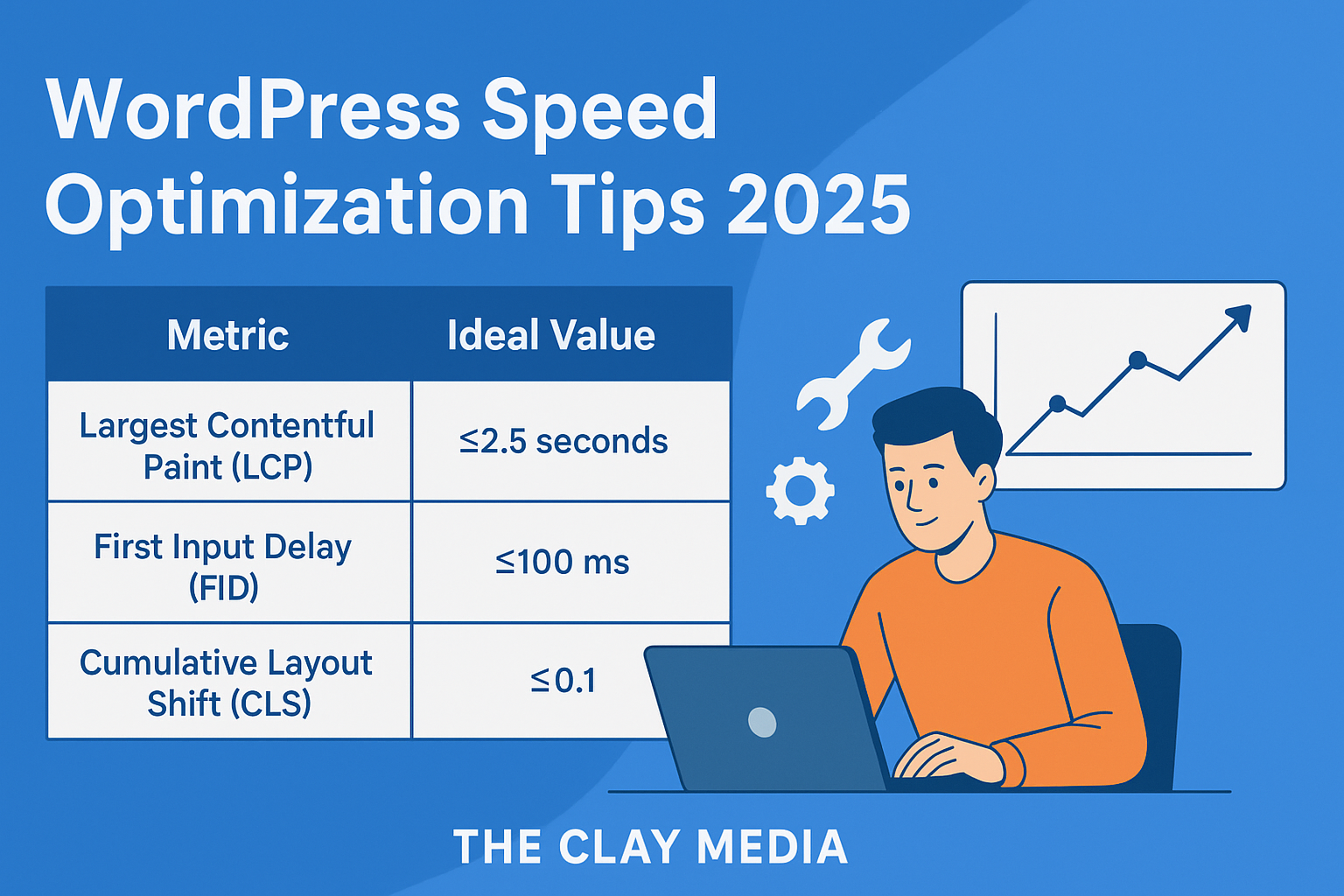
| Metric | Ideal Value | Tips to Improve |
|---|---|---|
| Largest Contentful Paint (LCP) | ≤2.5 seconds | Compress images, use fast hosting, lazy load resources |
| First Input Delay (FID) | ≤100 ms | Minimize JS, use caching, reduce third-party scripts |
| Cumulative Layout Shift (CLS) | ≤0.1 | Set image dimensions, avoid layout shifts from ads/widgets |
Additionally, monitoring Core Web Vitals ensures compliance with Google’s speed standards.
FAQs
Q1: How often should I optimize my WordPress site for speed?
A: Every 3–6 months, or whenever you add heavy content or plugins.
Q2: Do caching plugins work with all themes?
A: Most themes are compatible; however, always test after enabling caching.
Q3: Will image compression affect quality?
A: No, modern tools reduce file size while keeping high visual quality.
Q4: Can hosting upgrades alone make a difference?
A: Yes, faster servers can reduce load times by 30–50%.
Q5: Is speed more important than design for SEO?
A: Speed affects SEO directly; design affects UX. Both are important.
Conclusion + Call-to-Action
In conclusion, WordPress speed optimization in 2025 is essential for higher rankings, better user experience, and increased conversions. By implementing image compression, caching, lazy loading, hosting upgrades, and Core Web Vitals monitoring, your site will perform at its best.
At The Clay Media, we help businesses audit and optimize WordPress websites to achieve maximum speed and SEO results.
Therefore, audit your WordPress site today and apply these strategies to boost speed and improve SEO. Don’t let slow-loading pages hold your business back.
🚀 Take Action Now: Contact The Clay Media to optimize your WordPress site and dominate 2025 search results.