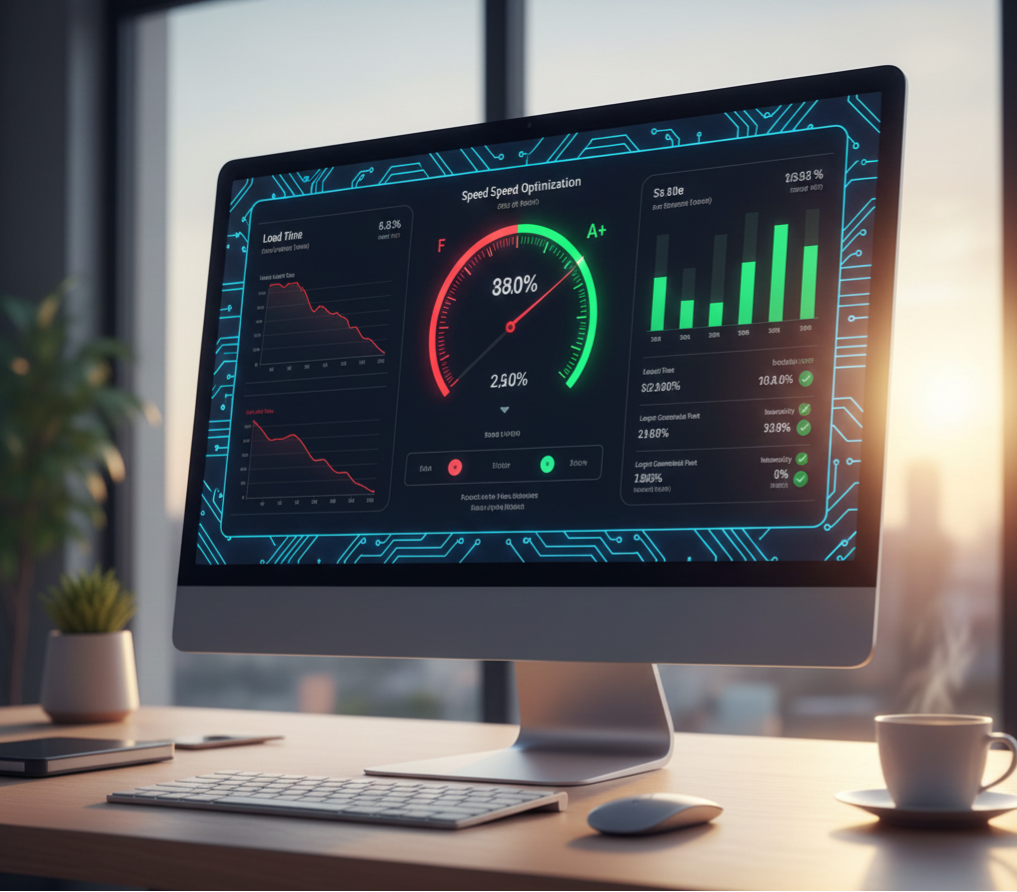
If you’re searching for a fix website loading slow service, your site is probably costing you customers right now. A slow website doesn’t just look bad — it kills conversions, destroys SEO rankings, and makes your business look unreliable.
In this guide, you’ll learn:
✔️ Why your website is slow
✔️ What it’s costing your business
✔️ The fastest ways to fix website loading slow
✔️ When to DIY and when to hire help
✔️ How professional speed optimization works
If you want your website to load fast, rank better, and convert more — this is for you.
Why Is Your Website Loading Slow (And How to Fix It)
Slow websites do more damage than any other technical issue.
Here’s what a slow-loading website causes:
- Higher bounce rates
- Lost leads
- Lower Google rankings
- Fewer bookings
- Lower trust
- Lower sales
Google found that:
- A 1-second delay reduces conversions by 7%
- A 3-second delay causes 53% of visitors to leave
- A slow site has 3–5× lower SEO visibility
If your website loads slow, your customers won’t wait — they’ll leave and go to a competitor.
Website Loading Slow? The Real Reasons
1. Too Many Plugins
Most WordPress sites run 25–60+ plugins.
Outdated or heavy plugins slow everything down.
Symptoms: long load times, white screens, broken pages.
2. Cheap Hosting
$5–$10 hosting plans cannot handle real business websites.
Shared hosting = slow.
Cloud hosting = fast.
3. Unoptimized Images
Large images are the #1 cause of slow load times.
Every image must be:
- compressed
- resized
- properly formatted (WebP)
4. Poor Theme / Page Builder
Heavy themes like Elementor, Divi, or outdated themes slow sites drastically.
5. No Caching or CDN
Caching and CDNs can cut load times by 50–80%.
Without them → slow.
6. No Database Cleanup
Over time, your database fills with:
- old revisions
- logs
- transients
- leftover plugin data
→ slows everything.
7. Outdated WordPress Core
Old versions = slow + insecure + incompatible.
Real Example from The Clay Media (Orange County)
A Huntington Beach law firm came to us saying:
“Our site is slow, but it loads fine for us.”
On office Wi-Fi, it loaded in 11.3 seconds.
For customers? Slow.
For Google? Too slow.
We optimized everything.
Before: 11.3 seconds
After: 2.1 seconds
Result:
Form submissions increased 79%.
They gained 60+ more leads monthly.
A slow website is silent revenue loss.
Fix Website Loading Slow Service: Full Cost Breakdown (2025)
Fixing slow website speeds usually costs:
| Service Level | Cost | Best For |
|---|---|---|
| DIY | $0–$50 | Hobby sites, very small sites |
| Freelancer | $150–$400 | Small service businesses |
| Agency | $450–$1,500 | Business websites that depend on SEO + leads |
For any business website that generates revenue, the agency-level fix delivers the highest ROI — because it prevents future problems, not just today’s slowdown.
How We Fix Slow Websites (Process at The Clay Media)
Our Fix Website Loading Slow Service includes:
✔️ Full speed audit
✔️ Plugin cleanup
✔️ Image optimization
✔️ Lazy loading
✔️ CDN setup
✔️ Caching setup
✔️ Database optimization
✔️ Code cleanup
✔️ Theme optimization
✔️ Removing render-blocking scripts
✔️ Mobile performance tuning
✔️ Hosting & server recommendations
Most websites see a 2×–7× speed improvement.
DIY Steps to Fix a Slow Website (If You Want to Try First)
Try these simple steps:
✔️ Step 1: Test Your Website Speed
→ https://pagespeed.web.dev
→ https://gtmetrix.com
✔️ Step 2: Delete any plugin you do NOT need
✔️ Step 3: Install a caching plugin
WP Rocket (best)
W3 Total Cache (free)
✔️ Step 4: Convert all images to WebP
✔️ Step 5: Move to better hosting
Cloudways, SiteGround, WP Engine
✔️ Step 6: Update WordPress core + theme + plugins
(Create a backup first.)
✔️ Step 7: Clean your database
Use WP-Optimize
If your site still loads slow → you need a professional.
When You Should NOT DIY This
You should hire a Fix Website Loading Slow Service if:
- Your site makes money
- Your SEO rankings matter
- You use Elementor, Divi, WooCommerce
- You have 30+ plugins
- Your hosting is more than 2 years old
- Your updates often break things
A professional will prevent:
❌ contact form failures
❌ plugin conflicts
❌ broken layouts
❌ security vulnerabilities
❌ Google ranking drops
How Slow Websites Cost You Money
Here’s the real cost:
- Slow websites lose 30–70% traffic
- They convert 60% fewer leads
- Customers assume your business is unprofessional
- Google ranks slow sites LOWER
The cost of doing nothing is always higher.
🔗 Want the full pricing breakdown?
Website Maintenance Cost for Small Business (2025 Guide)
https://theclaymedia.com/website-maintenance-cost-for-small-business-2025/
🔗 Want to know who should maintain your website?
Who Should Maintain Your Website?
https://theclaymedia.com/website-maintenance-guide/
🔗 Want monthly updates?
Monthly Website Update Cost Guide
https://theclaymedia.com/monthly-website-update-cost-2025/
FAQ: Fix Website Loading Slow Service
How fast should my website load?
Under 2 seconds. Under 1 second is ideal.
Why is my site slow even with good hosting?
Plugins, images, and scripts probably aren’t optimized.
Can a slow site hurt SEO?
Yes — speed is a core Google ranking factor.
How long does a speed optimization take?
2–5 days for most business websites.
Do updates help speed?
Yes. Old plugins and themes slow down websites.
Get Your Website Speed Fixed (Free Audit)
If your website is slow, we can fix it — fast.
Your FREE Website Speed Audit includes:
✔️ Speed test
✔️ Performance report
✔️ Plugin audit
✔️ Hosting analysis
✔️ Optimization plan
✔️ Full quote
👉 Get your free audit:
Contact The Clay Media for Speed Optimization
📞 949-444-2001
Immediate help available
📧 Team@theclaymedia.com
4-hour response time
📍 Orange County, CA
We’ve managed 400+ websites since 2014 — we know how to make sites FAST.